 CADO SCRIPT
Extra Spoofing (Not Mandatory)
100% recommended not mandatory however.
- 1
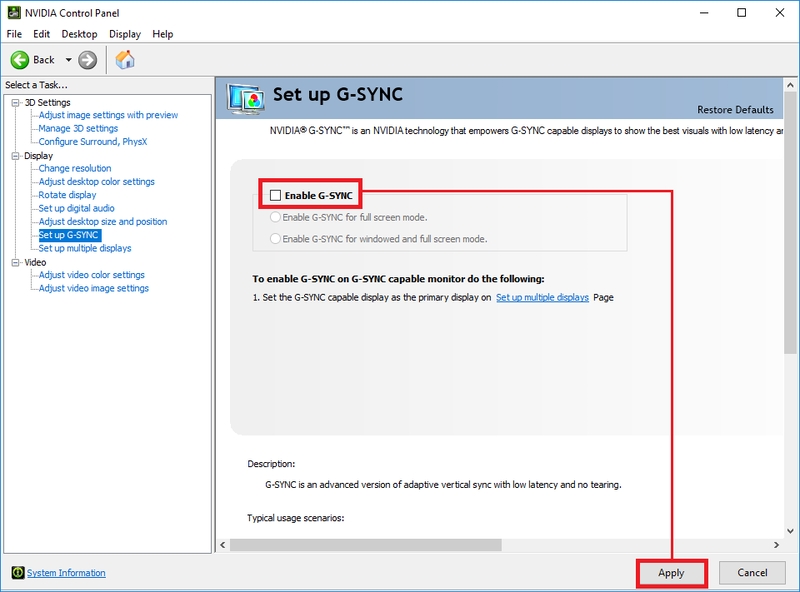
Disable G-SYNC / Free-Sync (if your monitor supports it)
Disable G-SYNC / Free-Sync in your monitor/graphics driver settings.
- 2
- 3
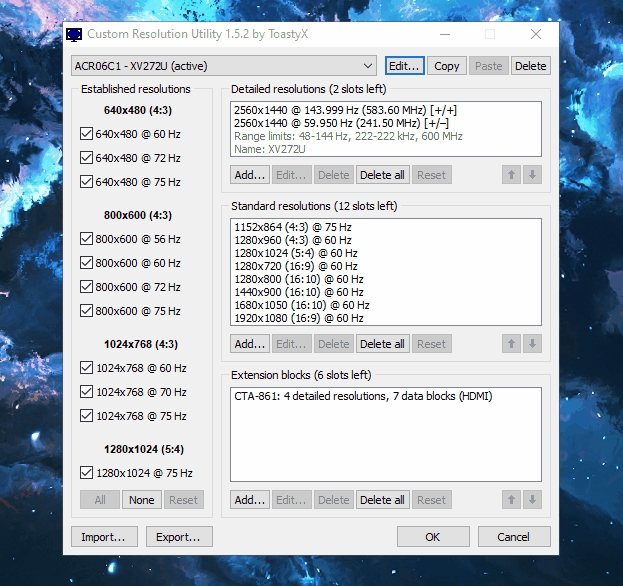
Run CRU as ADMIN
Right-click CRU.exe and choose "Run as administrator".
- 4
Edit each monitor profile
Press Edit on each monitor profile and change the following fields:
- ID Serial #: change the last 4 digits to something random.
- Serial Number: change the last 4 digits to something random.
- (If a field is empty, keep it empty.)
Make these changes for every profile shown in CRU.
- 5
Repeat for all monitor profiles
Repeat the edit process for all other monitor profiles.
- If the same physical monitor has multiple profiles, ensure you change the same digits across those profiles so they remain consistent.
- 6
Follow the video
Follow the provided video to change the serials for all your monitors.
- 7
Restart and verify
Restart your PC and check that the serials are still changed.
STUCK ON A STEP?
Open a ticket in our Discord and our team will help you immediately.