 CADO SCRIPT
How to Not Get Reported Scripting LoL: Diamond+ Report Avoidance
Quick verdict: In Diamond and above, players watch replays and notice patterns. To avoid reports, turn off all drawings, cap your reaction time at 180-220 ms, and keep your APM close to what you normally do. Cado's humanizer and per-champion profiles make this easy to set up.
In Diamond and above, players don't just play the game. They watch it. They rewatch fights in their head, ping missing summoners, and notice when your cursor moves like a machine. One suspicious clip and you get reported, not for cheating, but for 'scripting'. The good news is that report avoidance is mostly about looking human, and that's a settings problem you can fix in five minutes. Here's how to not get reported scripting LoL in high elo.
The core idea is simple: your script should make you play cleaner, not look like a robot. That means hiding the visual tells, keeping your reaction times believable, and not spiking your APM to 400 in a lane where you normally sit at 80. A well-configured League of Legends script like Cado gives you the tools to do exactly that.
Why Diamond+ Players Report More Than Gold
Gold players miss things. Diamond players don't. They know what a perfect Flash-QSS looks like, they know how fast a human can react to a Blitzcrank hook (about 200-250 ms at best), and they know when your dodge pattern is too clean. In Master+ games, players will literally rewatch the replay during loading screen and ping your name in all chat. That's the environment you're playing in.
So the goal isn't to hide from Riot's systems (that's a separate topic covered in our undetected LoL script guide). The goal is to avoid giving other players a reason to hit that report button. Reports from high-elo players get reviewed faster because they come from accounts with clean histories. Don't be the guy who gets flagged because he dodged three skillshots in a row with 120 ms reaction time.
Turn Off Every Drawing (Yes, All of Them)
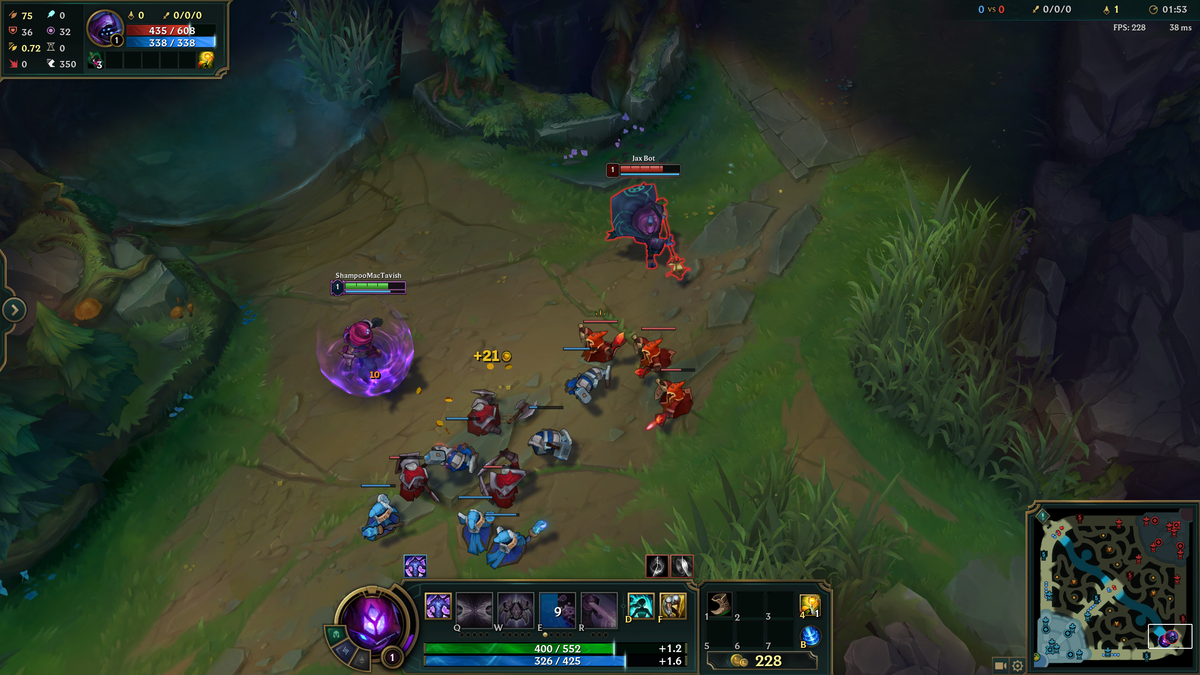
Drawings are the number one giveaway. A range circle around your champion that flickers when you move, an evade radius that shows up in the fog of war, a target selector line that snaps to the enemy ADC before they're even visible. These are all things that show up in replays and streams. In Diamond, players watch replays. Turn them off.
In Cado, go to the Drawings tab and uncheck everything: attack range, spell ranges, evade danger zones, target selector highlights, cooldown text on enemies. The only thing you might keep is a subtle last-hit indicator, but even that can be spotted if someone is spectating. My advice: turn it all off. You know your ranges. You don't need the crutch, and the crutch is what gets you reported.
If you're streaming or recording, this is non-negotiable. One frame of a green circle around your champion and you're done. Even in solo queue, players will notice if your cursor hovers exactly on the edge of your attack range while you farm. That's not human.
Set Reaction Time Limits That Look Human
The evade engine is the most powerful feature and the most obvious one. If you're dodging Xerath Q at 120 ms every time, people will notice. Human reaction time to a visual stimulus is around 200-250 ms on average, and in League, with ping and animation, it's often 250-300 ms. Set your evade reaction time to 180-220 ms in Diamond, and 200-250 ms in Master+.
Cado's humanizer lets you add a random delay on top of that. I use 20-40 ms of randomization. That means sometimes you dodge at 190 ms, sometimes at 230 ms. That variance is what makes it look human. If you set it to a flat 150 ms with no randomization, you're basically advertising.
Also, don't dodge everything. Our evade settings guide explains this in detail: set danger level to Medium so you only dodge key CC (hooks, binds, stuns), not every poke ability. A human doesn't sidestep a Xerath Q that's going to miss anyway. Let the small stuff hit you. It makes the big dodges look more impressive and less suspicious.
Keep Your APM Realistic

APM (actions per minute) is a dead giveaway. If you normally sit at 60-80 APM in lane and suddenly you're at 300 because the orbwalker is spamming clicks, people notice. High-elo players have a feel for tempo. They know when someone is clicking too much.
In Cado's humanizer settings, there's an option to cap APM or add click delay. Set it to 10-15% above your normal average. If you usually have 90 APM, cap it at 100-105. The orbwalker should feel like an extension of your hand, not a machine gun. I also recommend disabling auto-harass in lane. Let yourself miss a few CS. Let yourself take a bad trade. That's what humans do.
Here's a concrete example: you're playing Jinx with a Cado profile. Your normal APM in lane is around 70. With orbwalker on Combo mode and humanizer at 30 ms randomization, your APM might jump to 120. That's a red flag. Set the APM cap to 85 and suddenly you look like a slightly better version of yourself, not a script. Our Jinx settings guide has exact numbers for this.
Avoid Obvious Scripted Combos
Some combos are so fast that only a script can do them consistently. Riven's fast Q, Yasuo's EQ-Flash, Caitlyn's E-Q. If you pull these off perfectly every single time, people will notice. The key is to miss sometimes. Not on purpose, but by leaving the humanizer on and not over-tuning your combo speed.
In Cado, each champion module has a combo speed setting. Don't set it to maximum. Set it to 80-90% of max and let the humanizer add variance. That way you'll still win most trades but you won't look like a machine. In Diamond, players will respect a good Riven combo but they'll report a perfect one that happens every time.
Another tip: don't use the script to do things you couldn't do manually. If you're a Silver-level player smurfing in Diamond, fine, but if you're actually a Diamond player, your combos should look like Diamond combos, not Challenger combos. Leave some room for error.
Use Per-Champion Profiles and Rotate Them
Cado lets you save profiles per champion. Use that. Don't use the same settings for every champion. A Vayne profile should have different evade settings than a Xerath profile. Our Vayne script settings guide recommends 200 ms reaction time and medium danger level, while Xerath can afford 180 ms because he's usually further back.
Rotate your champions. If you play the same champion every game with the same script settings, people will notice patterns. Mix it up. Play a few games without the script (or with it mostly off) to keep your MMR honest. The last thing you want is a 10-game winstreak with perfect KDA that gets flagged by every opponent.
What to Do If Someone Calls You Out
It happens. Someone types 'nice script' in all chat. Don't respond. Don't defend yourself. Don't say 'lol no'. Just keep playing. The worst thing you can do is draw attention to it. If you ignore it, most players will assume it's salt. If you argue, they'll report you out of spite.
Also, don't overperform in obvious ways. If you're 10-0 at 15 minutes, maybe don't dive the enemy fountain. Play like a human who's having a good game, not like a script that's trying to end the game in 20 minutes. Take a death. Miss a cannon. It's fine.
Final Settings Checklist for Diamond+
- Drawings: All off (no exceptions).
- Evade reaction time: 180-220 ms (Diamond), 200-250 ms (Master+).
- Humanizer: Enabled, 20-40 ms randomization.
- APM cap: 10-15% above your normal average.
- Danger level: Medium (dodge key CC only).
- Combo speed: 80-90% of max, with variance.
- Auto-harass: Off in lane, on in teamfights only.
These settings will keep you under the radar in high elo. Remember, the goal is to climb, not to show off. A smart LoL script user looks like a good player, not a robot. If you want more tips on staying safe, check our guide to using LoL scripts safely.
And if you're just getting started, grab Cado and set up your first profile with these values. You'll be surprised how much better you play when you're not worried about getting reported.
FAQ
Will turning off drawings make me play worse?
At first, maybe. You'll miss the range indicators. But after a few games, you'll learn the ranges naturally, and you'll actually play better because you're not distracted by visual clutter. Plus, you won't get reported.
What's the best reaction time for Diamond?
180-220 ms with 20-40 ms randomization. That's fast enough to dodge key skillshots but slow enough to look human. In Master+, go 200-250 ms.
Can I use the same settings for every champion?
You can, but you shouldn't. Each champion has different ranges and combos. Use per-champion profiles in Cado and tweak the reaction time and combo speed for each one.
What if someone still reports me?
One report won't do anything. Riot looks for patterns. If you follow these settings, you'll avoid the mass reports that come from obvious scripting. Just don't argue in chat.